แม่แบบ
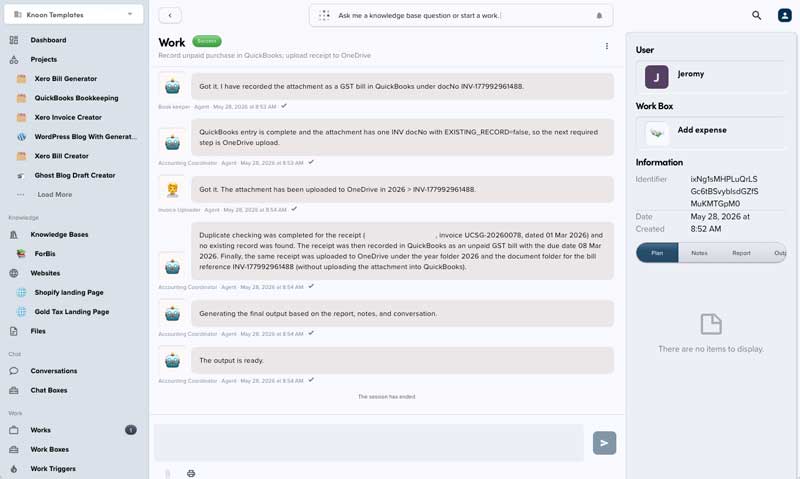
AI Add Receipt to QuickBooks & OneDrive
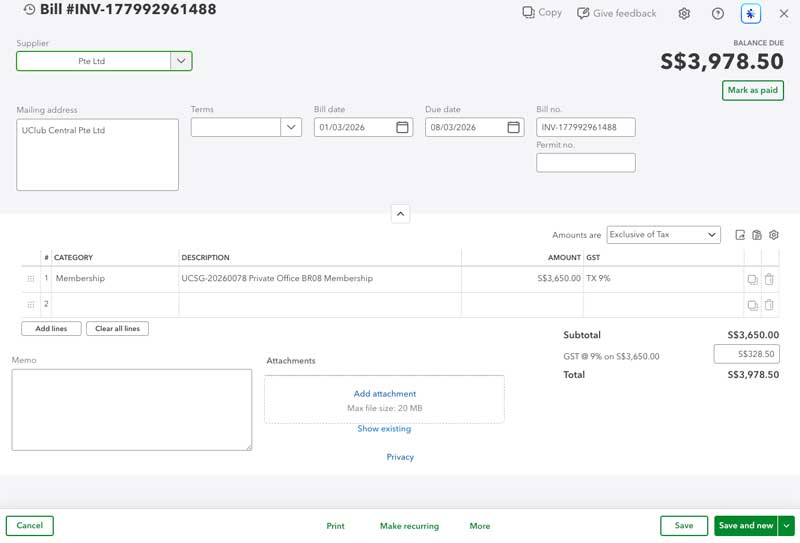
Records uploaded receipts in QuickBooks and attaches the original receipt file to OneDrive.
ตั้งค่าประมาณ 10 min
Record Receipts to QuickBooks & OneDrive
Automatically process purchase receipts in QuickBooks with duplicate detection, tax-aware recording, and organized OneDrive filing.
Tax Setup
Before using this template, confirm the tax codes available in QuickBooks.
Use the corresponding tax names and codes during setup:
- Taxable purchases: Select the appropriate GST/VAT tax code.
- Zero-rated purchases: Select the appropriate zero-rated tax code.
- Non-tax purchases: Select the appropriate non-tax code for purchases with no GST/VAT.
Filing
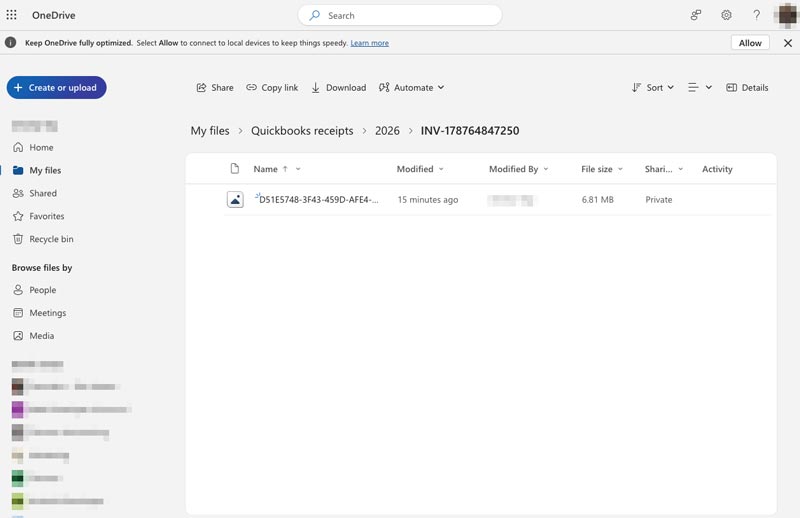
Receipt attachments are stored in OneDrive using this folder structure:
<root folder>/<year>/<receipt document number>/<uploaded file>
This template deploys automatically to the cloud. No coding, self-hosted n8n setup, or Make.com flows are required. The workflow runs deterministically, so it stays predictable compared with agent-driven tools like Manus, OpenAI, or Tasklet.