AI Generate AGM from Google Sheets and save to PDF & Google Docs
⚠️ The AGM template and Annual General Meeting documents from company information stored in Google Sheets must be in Google Doc and Google Sheets respectively.
AGM PDF Production Graph Bundle
This Knoon template bundle generates Annual General Meeting documents from company information stored in Google Sheets. It copies a Google Docs AGM template, replaces the document placeholders for each company row, exports the completed document as a PDF, and uploads the PDF back to Google Drive.
Workflow
- Read company AGM rows from a configured Google Sheets tab.
- Normalize each row into structured AGM data.
- Copy the AGM Google Docs template for each company.
- Replace placeholders in the copied Google Doc.
- Export the completed AGM document to PDF.
- Upload the generated PDF to the configured Google Drive output folder.
Required Configuration
After importing the bundle, review and update these fields for your own Google Drive setup:
- Google Sheets spreadsheet ID for the AGM company list.
- Exact Google Sheets tab name. This is case-sensitive.
- Google Docs AGM template file ID.
- Google Drive destination folder ID for copied documents.
- Google Drive output folder ID for exported PDF files.
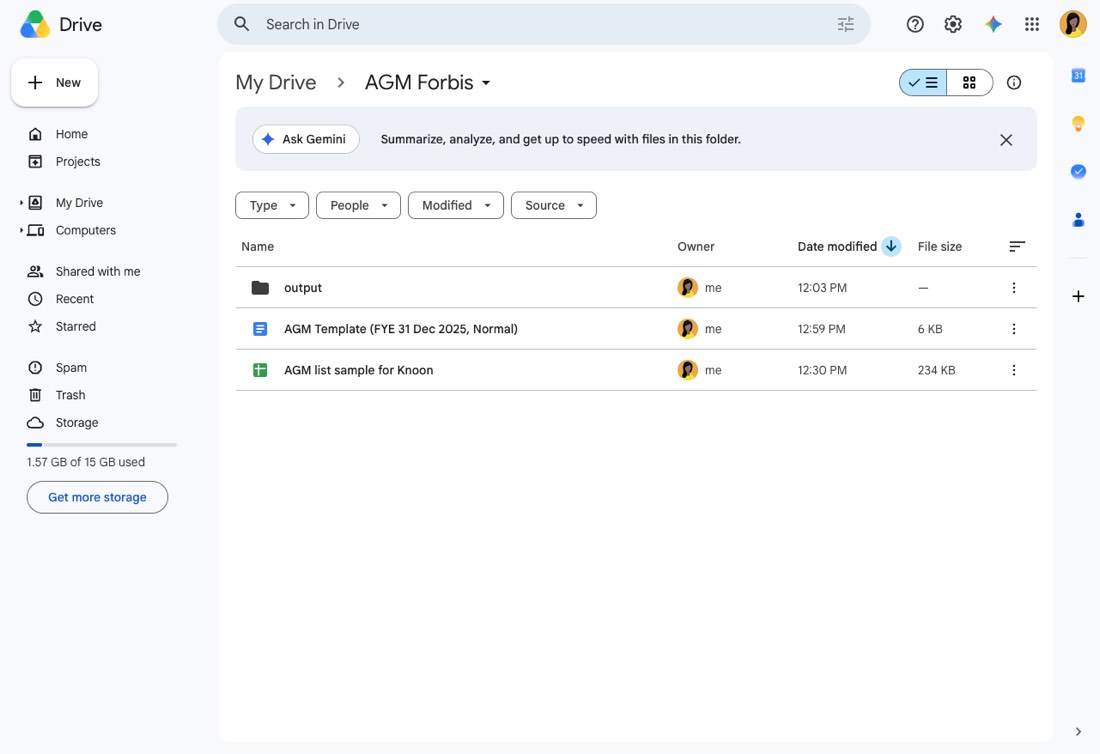
Google Drive Source Folder
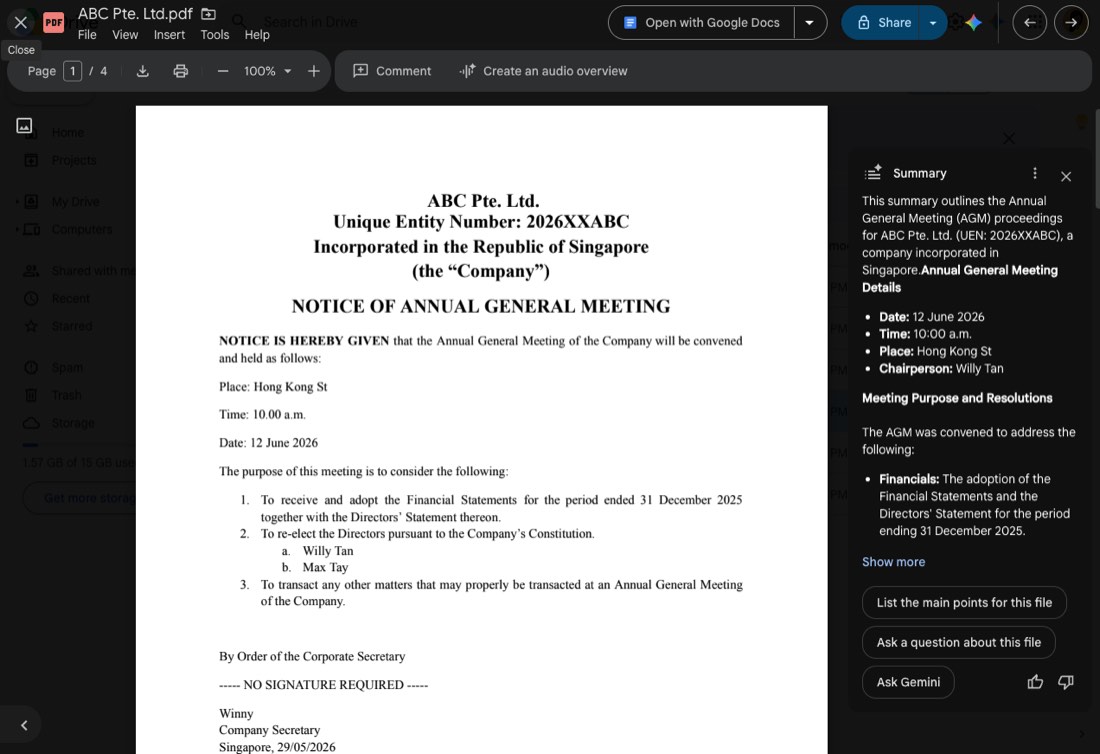
Generated AGM PDF Preview
This template deploys automatically to the cloud. No coding, self-hosted n8n setup, or Make.com flows are required. The workflow runs deterministically, so it stays predictable compared with agent-driven tools like Manus, OpenAI, or Tasklet.