Templates
AI Auto Reply Google Play Store Reviews
Automatically retrieves recent Google Play reviews, drafts tailored replies, and publishes approved responses.
Approx. 8 min setup
Auto Reply to Google Play Store Reviews
Automatically retrieve recent Google Play reviews, identify reviews that need a response, draft a tailored reply, and publish it through the Google Play Developer API.
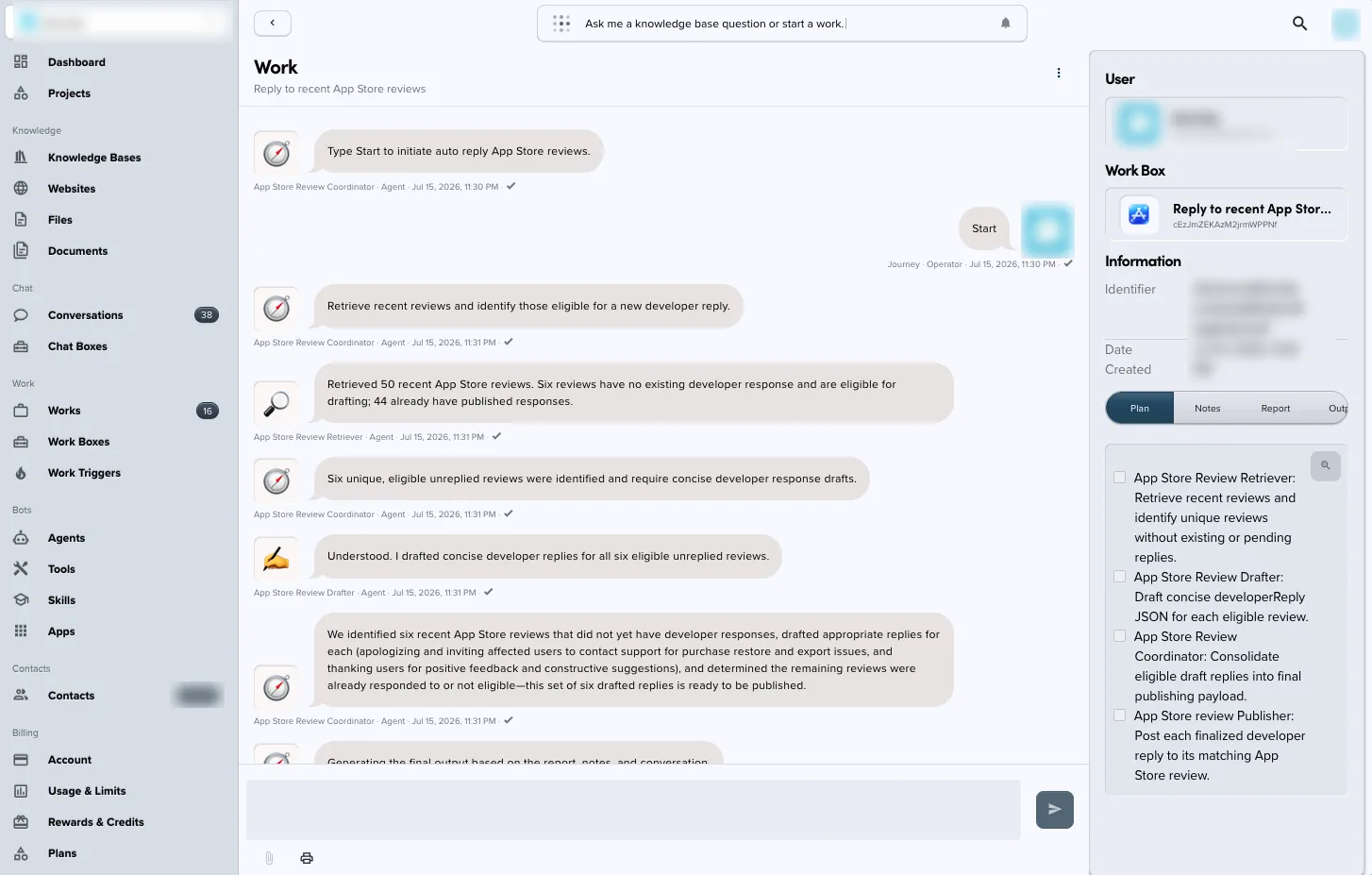
What this template does
- Runs on a daily schedule and lists recent reviews for a configured Android app.
- Retrieves individual review details when needed.
- Identifies reviews that are eligible for a new developer response.
- Drafts a concise reply based on the review's rating and written feedback.
- Publishes the finalized response to the matching review on Google Play.
The workflow separates retrieval, drafting, coordination, and publishing into dedicated agents so each stage has a clear responsibility.
Requirements
- An Android app available in Google Play Console
- The app's package name, such as
com.example.app - A Google Cloud connection with access to the Google Play Developer API
- Permission to read reviews and publish replies for the selected app
- An approved support channel that responses can reference when a user reports a problem
Setup
- Import this bundle into Knoon.
- Connect Google Cloud when prompted and confirm that the connection can access the app in Google Play Console.
- Enter the Android package name requested during configuration.
- Open the Work Box and review the drafting instructions, brand voice, support wording, and escalation expectations.
- Review the Auto Reply to Google Play Reviews trigger and confirm or change its daily 01:00 UTC schedule.
- Run the Work Box manually with
Start reply to Google Play review.before enabling unattended scheduled runs. - Check the published responses in Google Play Console and refine the drafting instructions if needed.
Example result
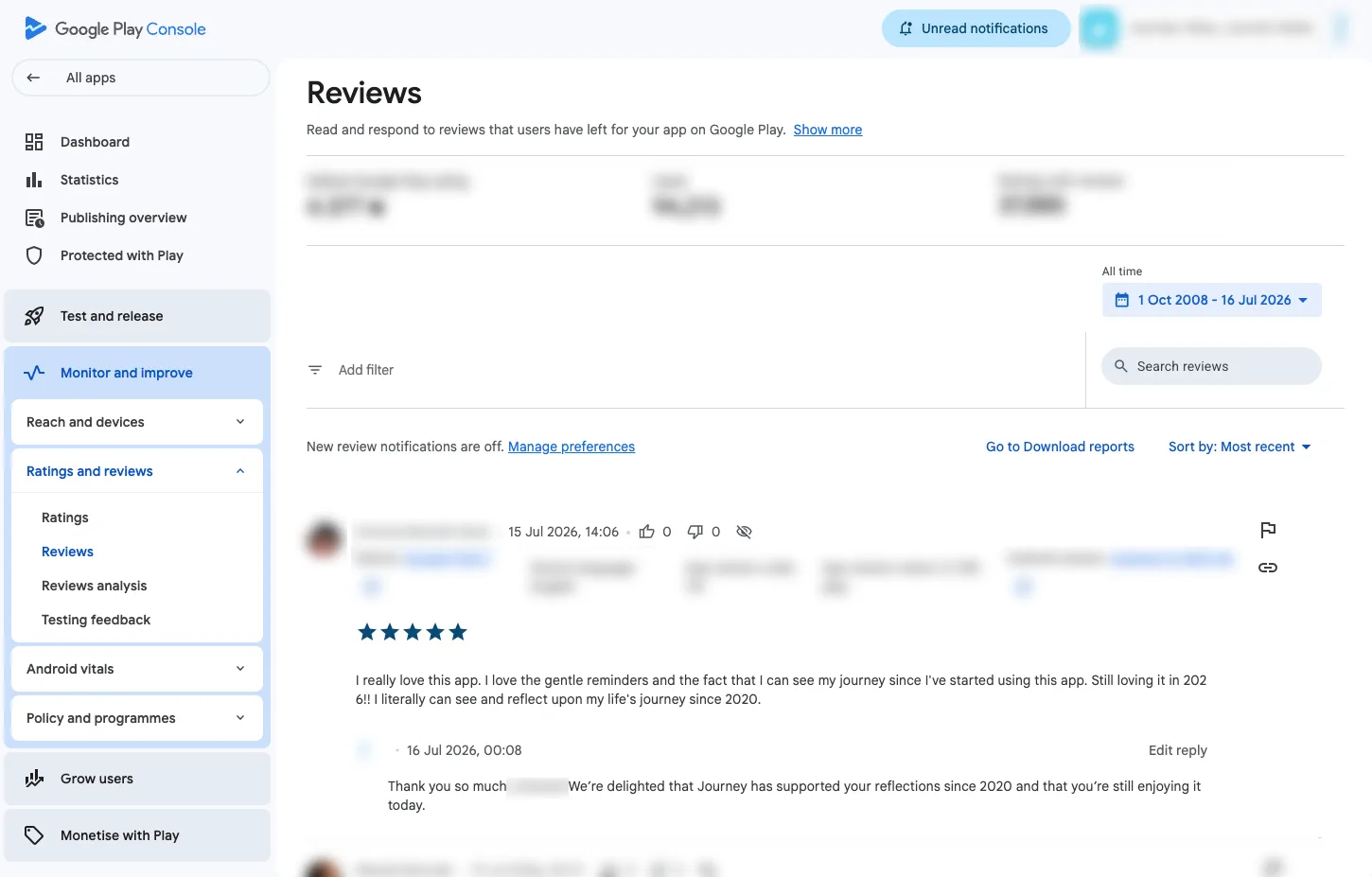
After a successful run, the generated text appears as the developer reply beneath the corresponding review in Google Play Console.
This template deploys automatically to the cloud. No coding, self-hosted n8n setup, or Make.com flows are required. The workflow runs deterministically, so it stays predictable compared with agent-driven tools like Manus, OpenAI, or Tasklet.