Templates
AI Auto Reply App Store Reviews
Automates replying to Apple App Store reviews. On each scheduled run, it finds new reviews, skips reviews that already have a reply, writes a short and friendly response based on the review rating and feedback, and publishes the reply to App Store Connect.
Approx. 8 min setup
Auto Reply to App Store Reviews
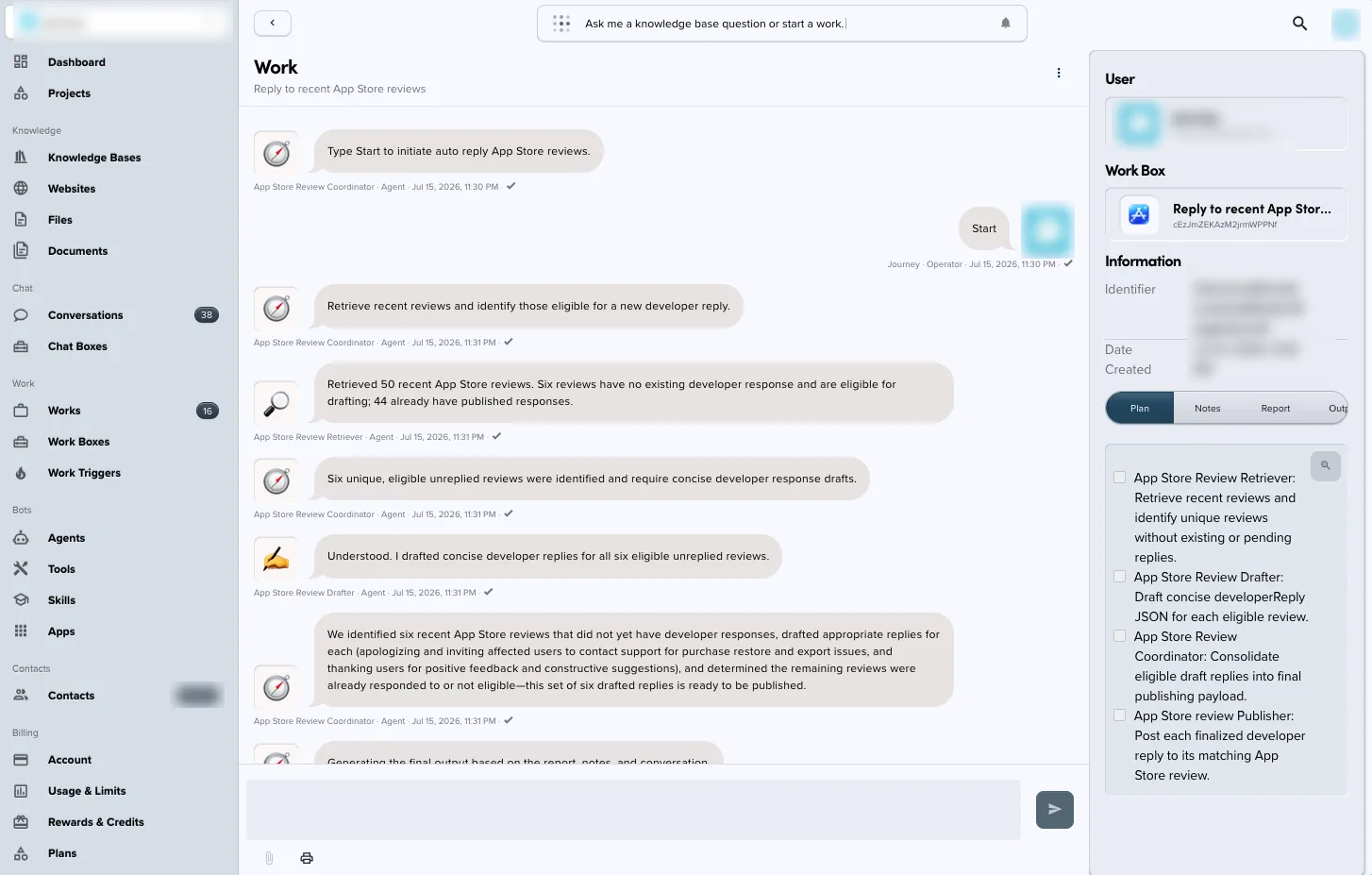
Automatically find unanswered Apple App Store reviews, draft a short and friendly response based on each review's rating and feedback, and publish the reply through App Store Connect.
What this template does
- Runs on a daily schedule and retrieves recent reviews for a configured app.
- Separates unanswered reviews from reviews that already have a developer response.
- Drafts a concise, relevant reply for each eligible review.
- Adapts the tone to the review, such as thanking users for positive feedback or acknowledging problems and directing affected users to support.
- Publishes each finalized developer response to its matching review in App Store Connect.
Requirements
- An app available in App Store Connect
- The app's numeric Apple ID, found under App Information > General Information > Apple ID in App Store Connect
- An App Store Connect connection with permission to read customer reviews and publish developer responses
- An approved support URL or contact path that the drafted replies can reference when users report problems
Setup
- Import this bundle into Knoon.
- Connect the App Store Connect app when prompted.
- Enter the numeric Apple ID for the app whose reviews should be processed.
- Open the Work Box and review the drafting instructions, brand voice, support wording, and escalation expectations.
- Review the Auto Reply to App Store Reviews trigger and confirm or change its daily 01:00 UTC schedule.
- Run the Work Box manually with
Start reply to App Store reviewsbefore enabling unattended scheduled runs. - Check the resulting responses in App Store Connect and refine the drafting instructions if needed.
Example result
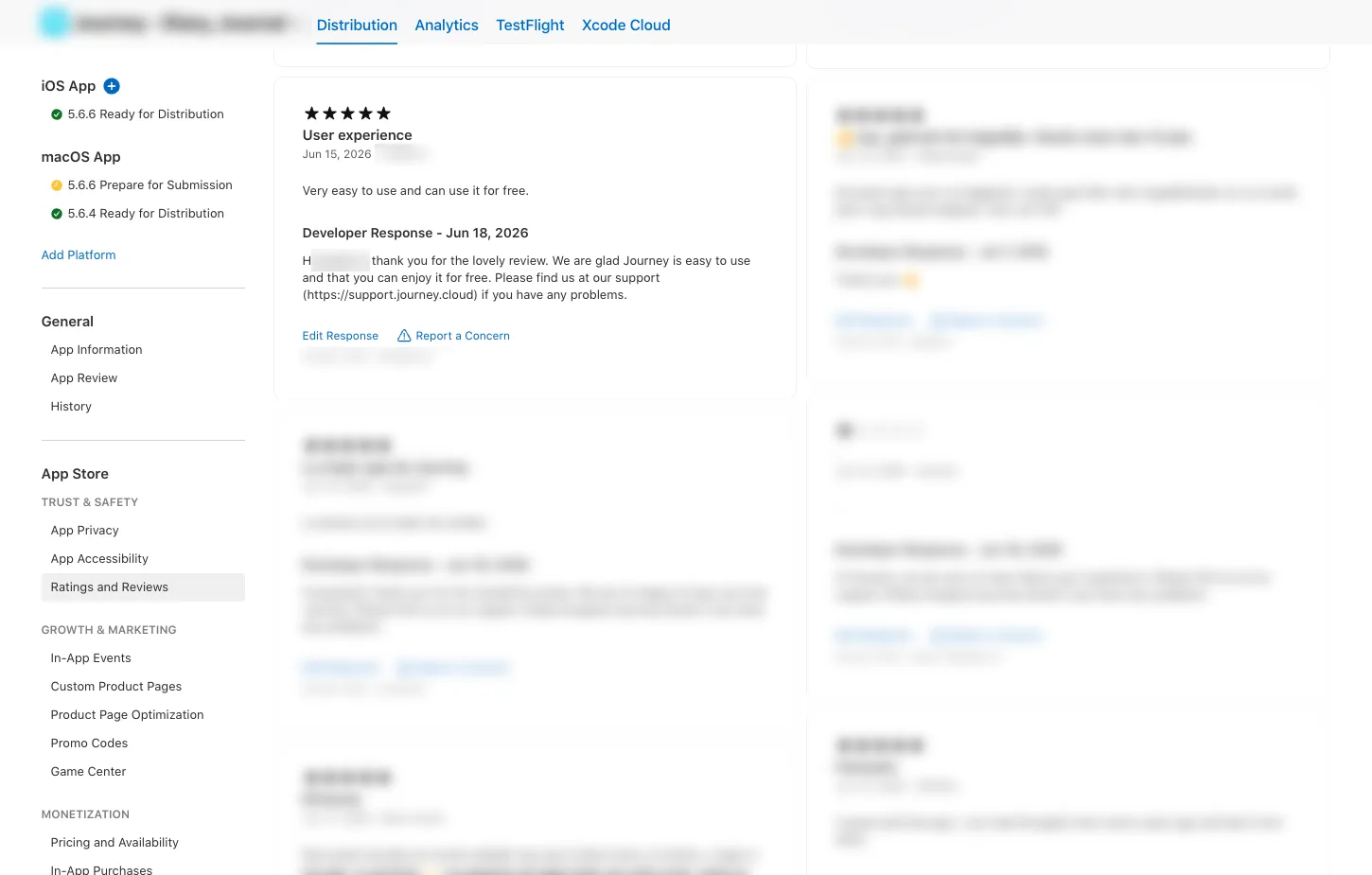
The workflow publishes the generated text as the review's developer response in App Store Connect.
This template deploys automatically to the cloud. No coding, self-hosted n8n setup, or Make.com flows are required. The workflow runs deterministically, so it stays predictable compared with agent-driven tools like Manus, OpenAI, or Tasklet.